Overview
How do you learn a new aircraft in a flight sim?
HANGAR01 is a free web app with interactive checklists for 29 aircraft in Microsoft Flight Simulator. A pilot keeps it open beside the sim and ticks each item as they set it in the cockpit.
I designed and built the app and its design system, and wrote every checklist.
Problem
Pilots kept their checklists in phone notes
Each aircraft has its own flows, the order its switches are set in from cockpit preparation to shutdown, and an airliner’s can run past 200 steps. Many pilots kept them in their phone’s notes.
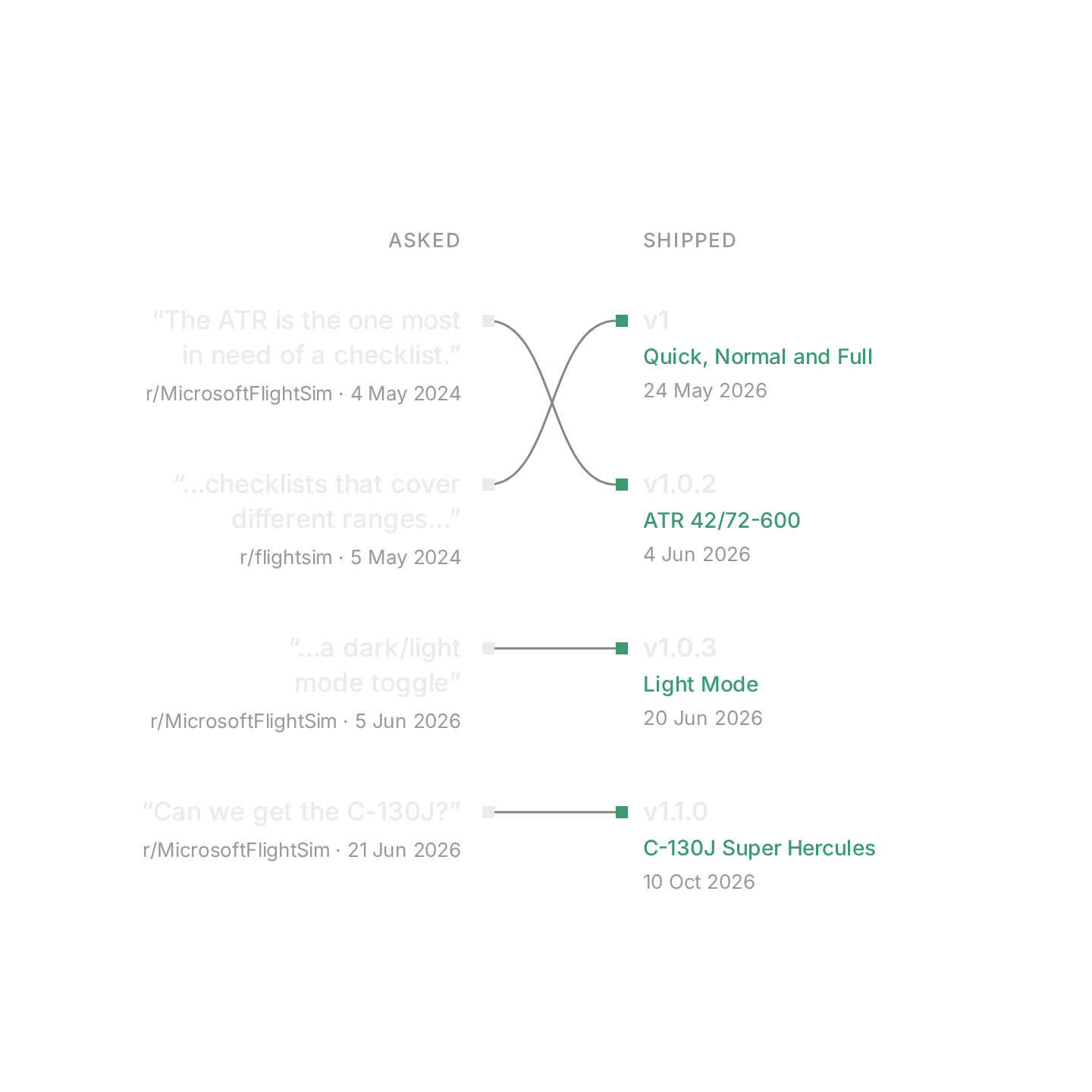
I posted the first version, SimCheck, on r/MicrosoftFlightSim and r/flightsim in May 2024, and relaunched it as HANGAR01 in May 2026.

The opportunity
What if ticking off a checklist were how you learned an aircraft’s flows?
Principles
A checklist made for the phone
Solution
One checklist from preflight to shutdown
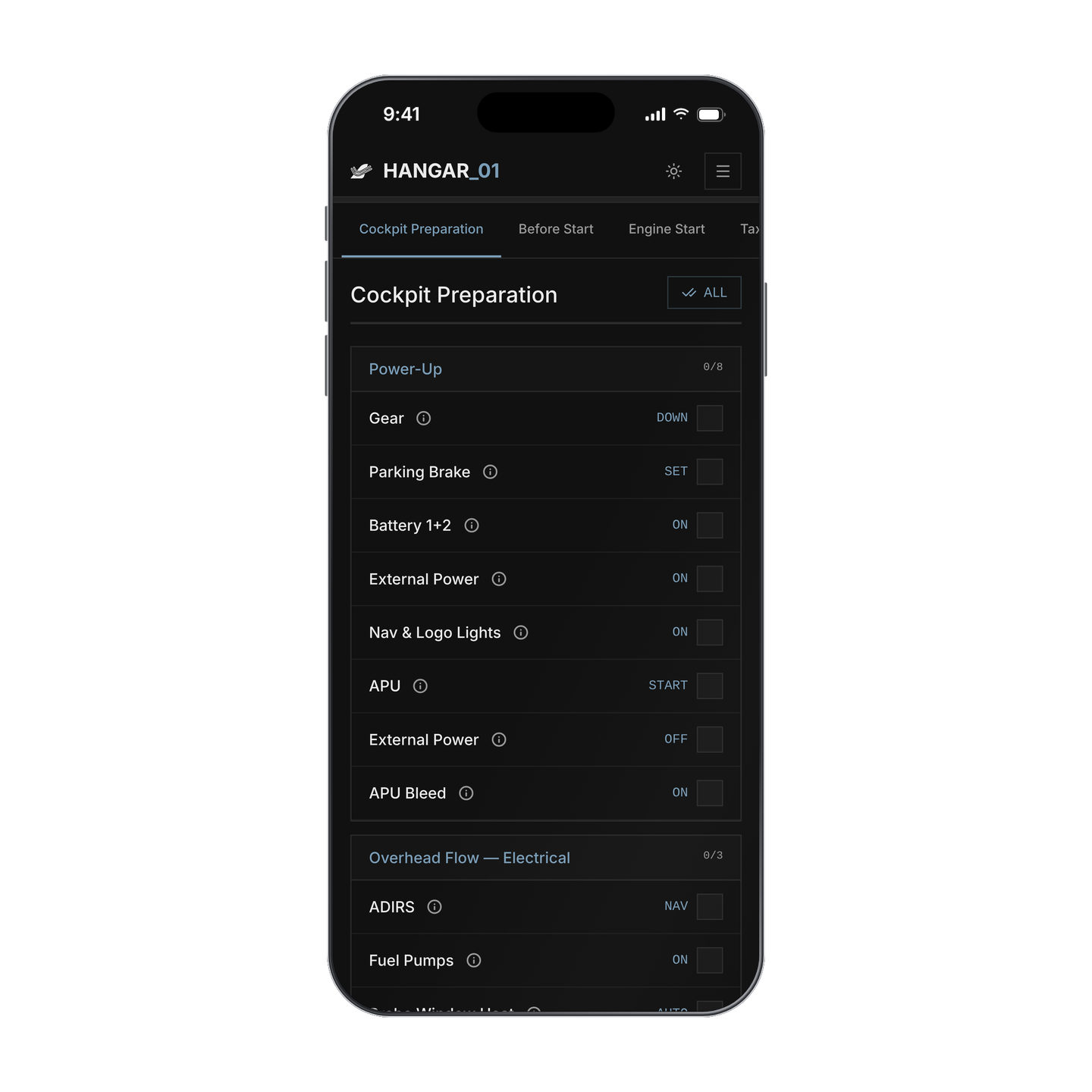
Each checklist follows an aircraft’s flows phase by phase, with the action beside every item. Ticks are saved in the browser, so a reload keeps your place without an account, and on a phone HANGAR01 installs to the home screen.
Find the aircraft…
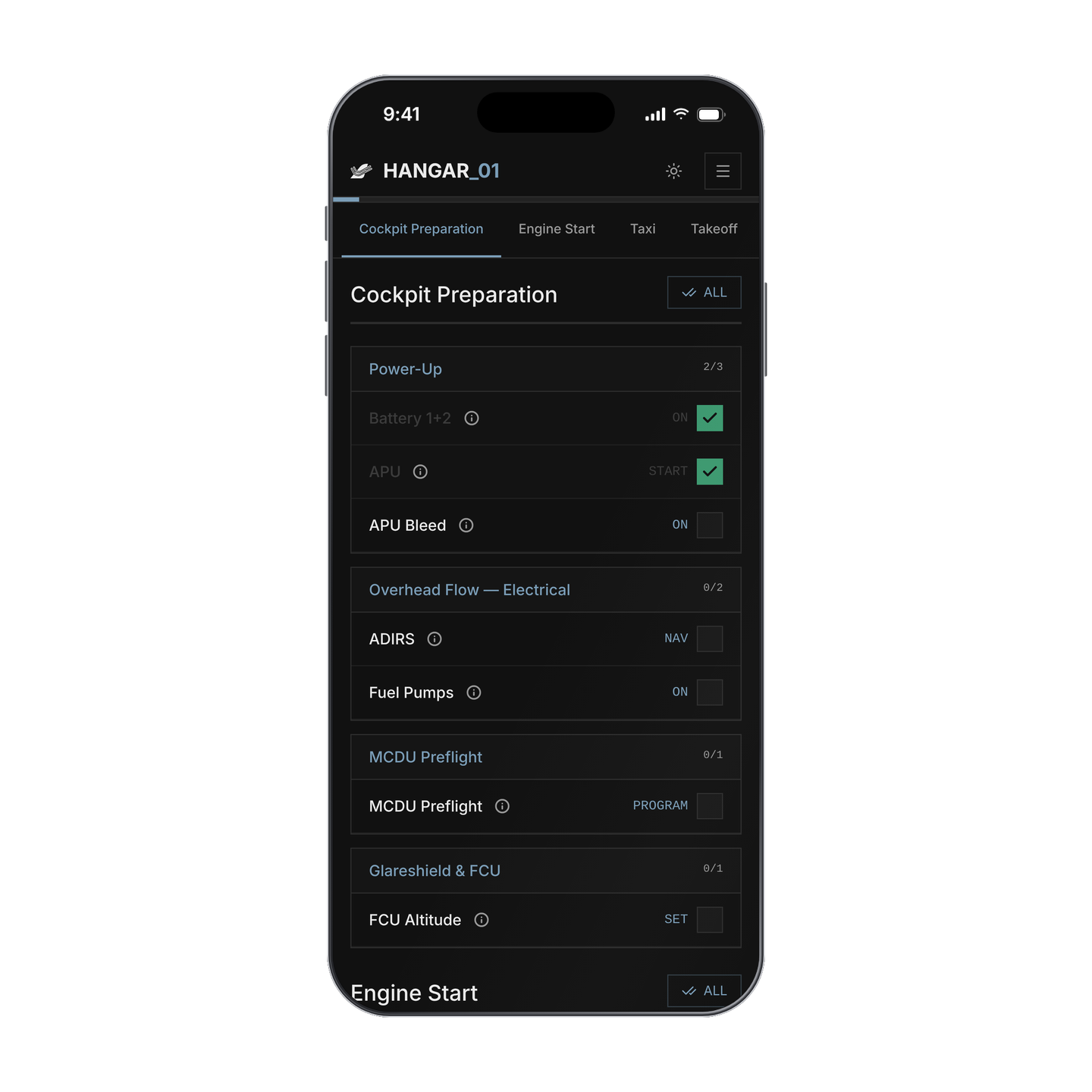
…then tick it off as you go.
Each checklist is written for one add-on, a maker’s version of an aircraft for the sim such as the FlyByWire A320neo or the PMDG 737NG. The 29 run from the Cessna 172 to the Airbus A380.
Three modes
Pilots choose how much of the checklist to see
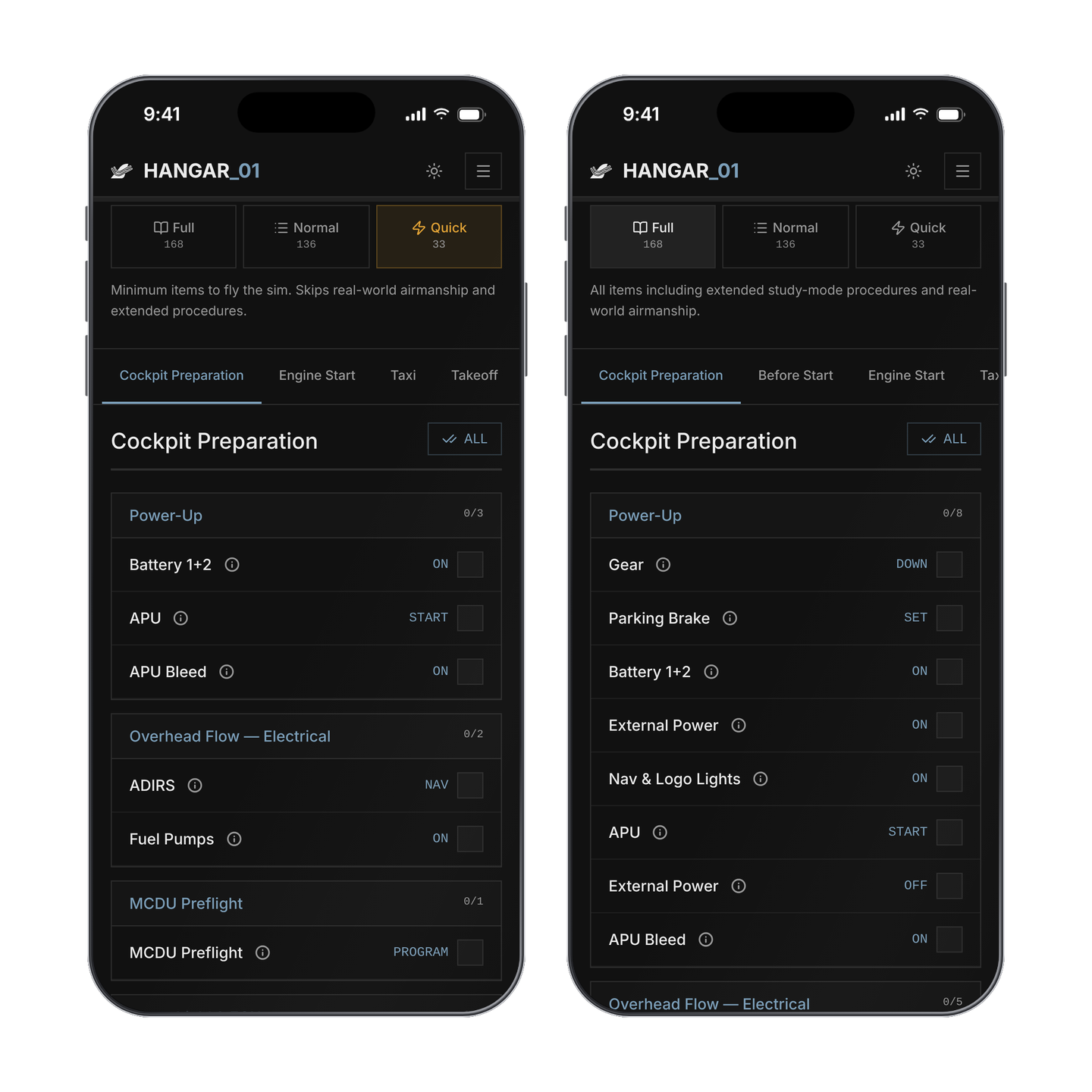
A reply to my first post asked for checklists at different levels, so every aircraft has three: Quick, Normal and Full.
I sort every item by what skipping it would cost: Quick if it would break something, Normal if it would make a real pilot uncomfortable, and Full if only someone studying every system would miss it. On the A320neo that makes 33 items in Quick, 136 in Normal and 168 in Full. The three share one list, so ticks carry over when you switch.
Dimming
A ticked item dims instead of disappearing
The idea comes from Airbus cockpits, where a button lights up only when it needs attention. Crossing items out keeps them as loud as what’s left, and hiding them loses your place, so a ticked item dims.


Finished groups and finished phases dim as a whole, so the part still to do stands out.
Info bubbles
Most items say where they are in the cockpit
3,567 of the 3,944 items have an info bubble behind the (i) beside them. Each starts with where the switch is, then says what it does, which helps when you come back to an aircraft after time away.
Design system
HANGAR01 takes its cues from an instrument panel
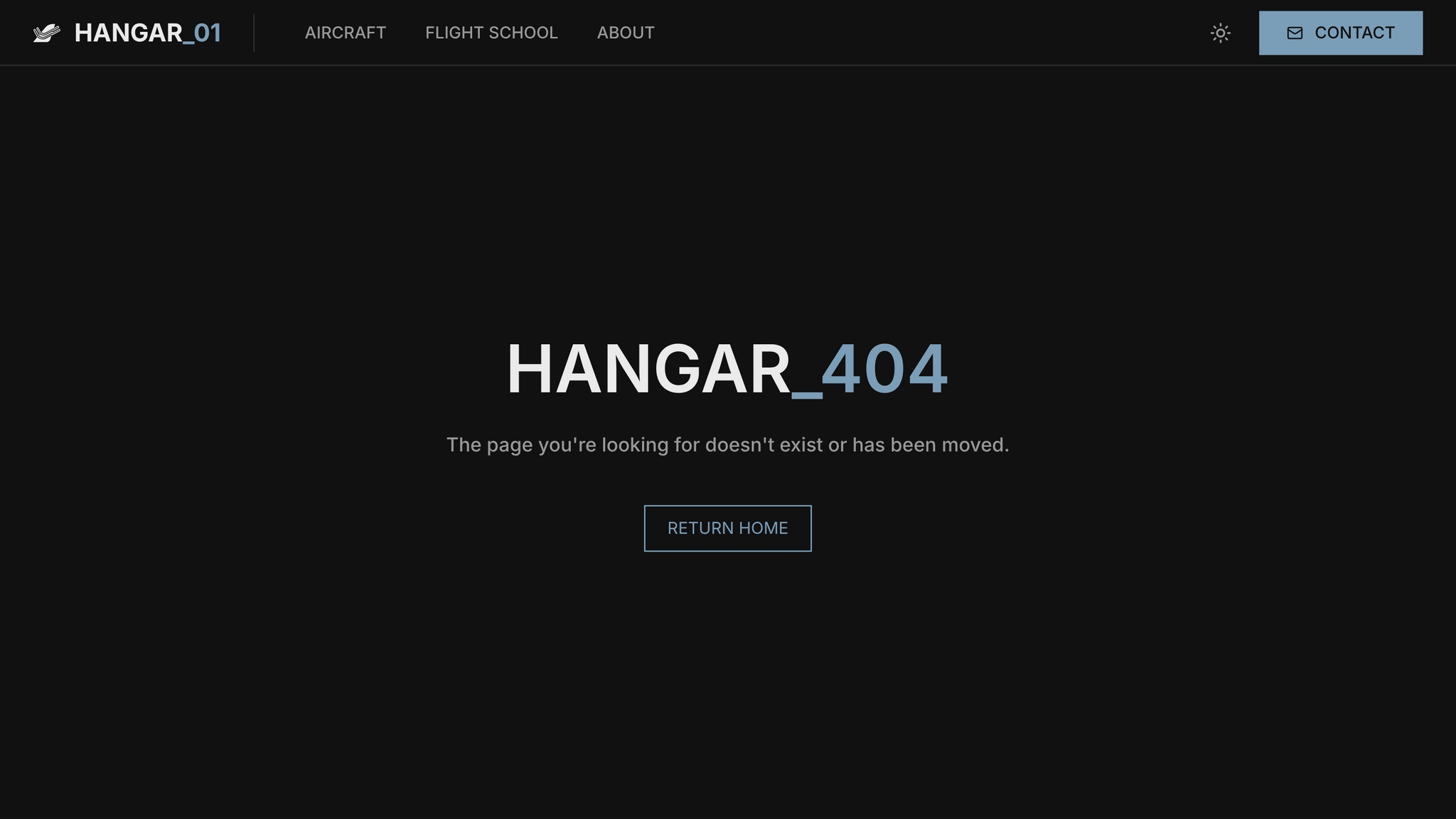
It’s dark first, with square corners, no shadows and nothing added for decoration. Labels are set in Inter, and actions like ON or DOWN in IBM Plex Mono, as on an instrument. Green marks what’s done, in the dark theme and the light one.
Even the missing page keeps to it.
Reports
Pilots correct the checklists from inside them
Every checklist has a Report Inaccuracy button. A report opens an issue in the app’s code repository, a model screens it for spam, and it lands in my inbox, so a wrong item gets fixed quickly.
Outcome
HANGAR01 has grown with its pilots’ requests
It relaunched with 15 aircraft and now has 29, and pilots ask for the next one through its contact page. In May 2026 I also released an open-source fork of AviTab, the free cockpit tablet for X-Plane, that loads HANGAR01’s checklists inside the sim.
Next
Emergency checklists
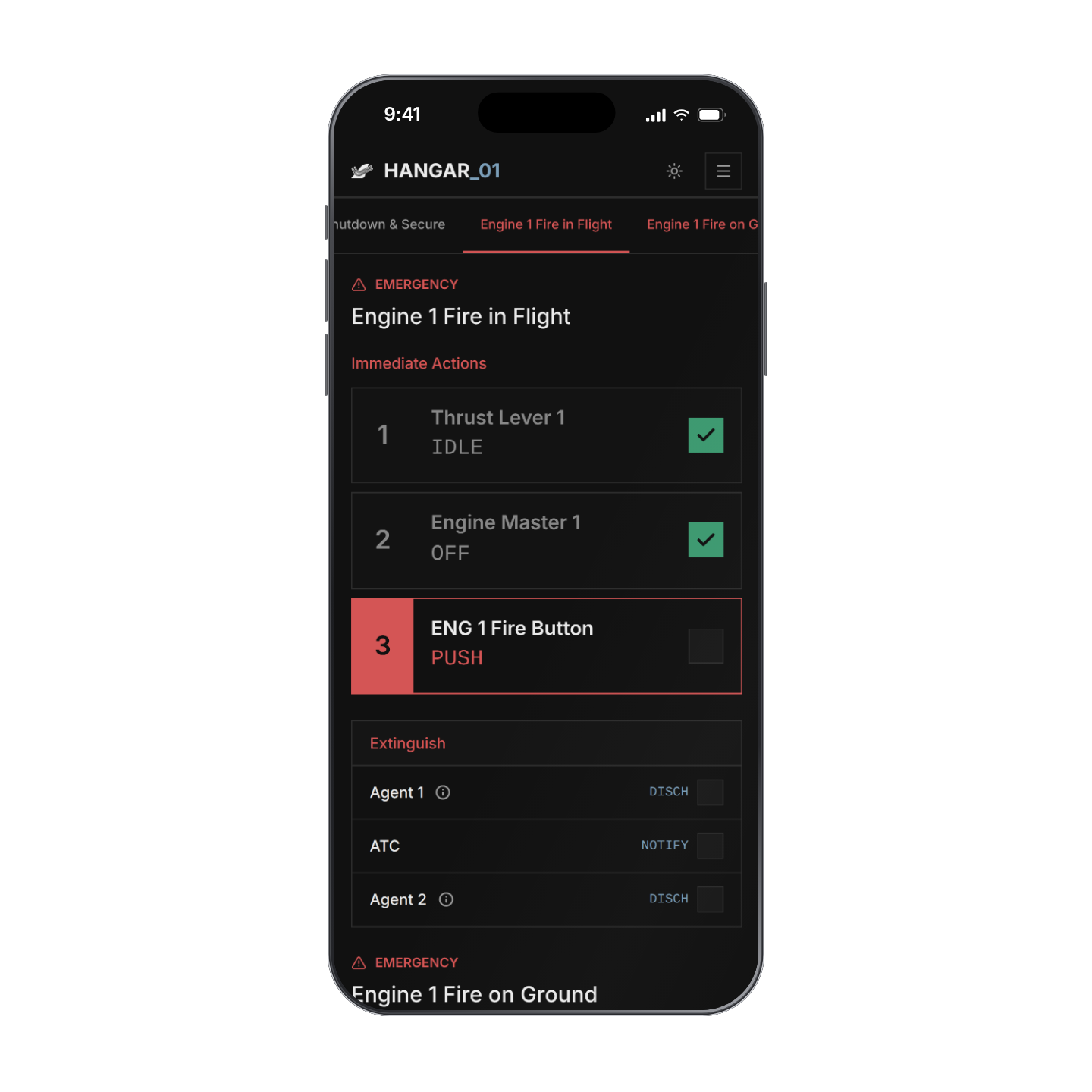
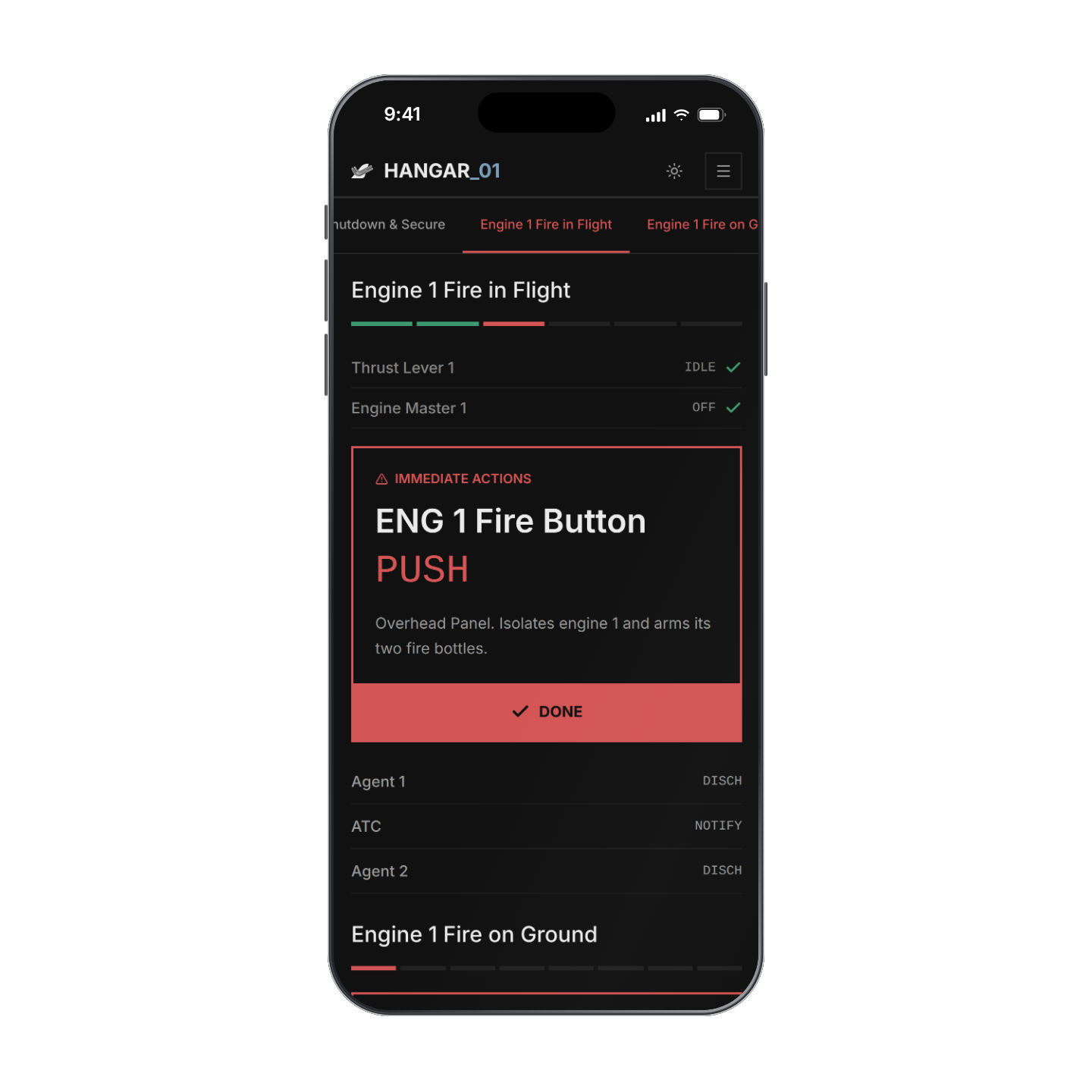
Emergency procedures come next, built from the same parts so a pilot already knows how to read them under pressure.
Reflection
Keep attention on the next item
Dimming, Quick mode and info bubbles each move something into the background, so the next item is the one that stands out.
Write for a glance
A pilot glances at a row between one switch and the next, so actions are kept to one to three words, like SET or START.